Marketing14 min read
How to Set Up and Use ChatGPT Ads in India (2026 Guide)
Step-by-step guide to creating an OpenAI Ads Manager account and launching ChatGPT Ads campaigns in India
Step-by-step guide to creating an OpenAI Ads Manager account and launching ChatGPT Ads campaigns in India
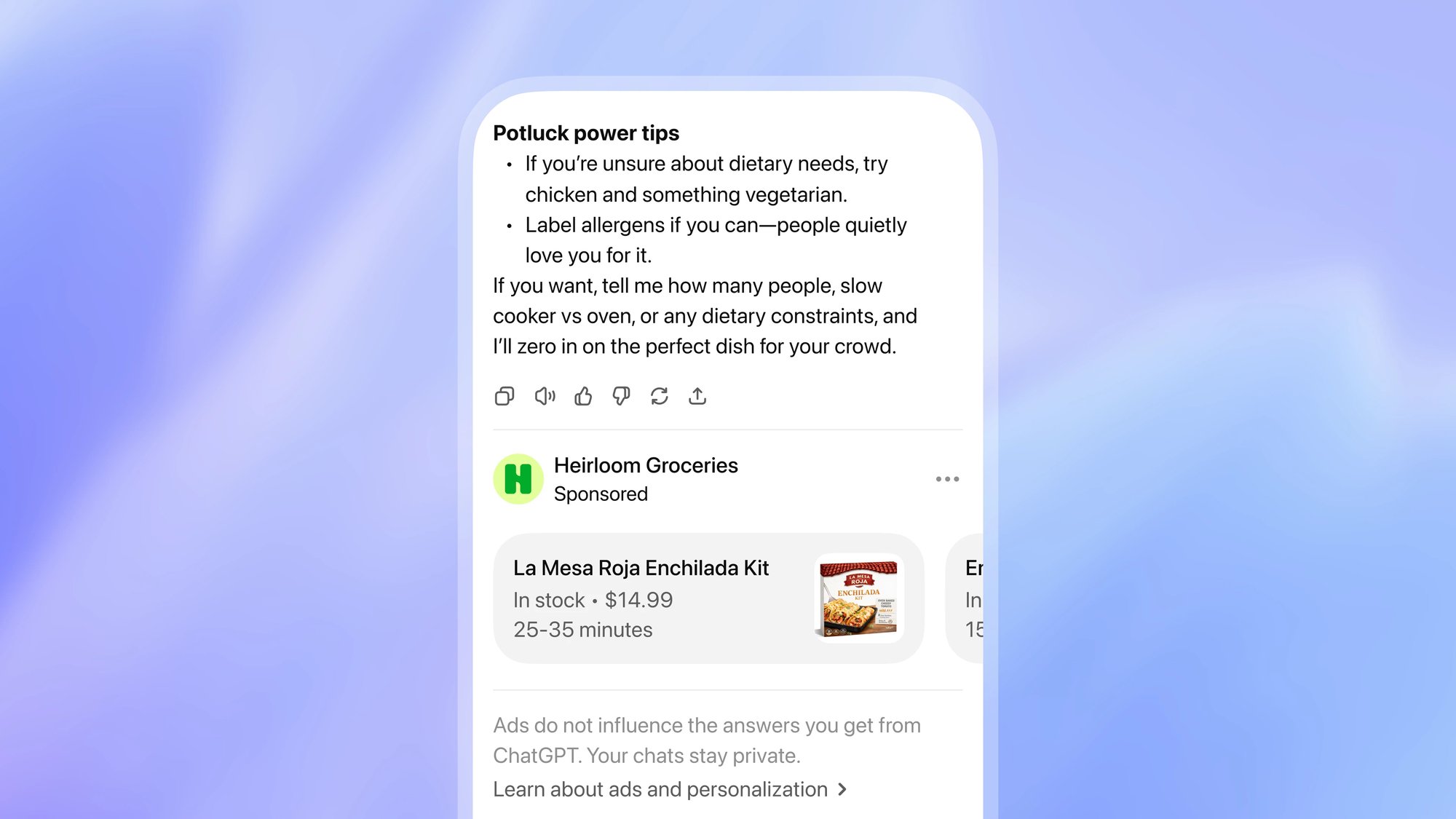
This is the first thing that surprises people, so get it straight before you plan budget.
Ads do not show to users on Plus, Pro, or any Business plan. They also do not show to accounts identified as belonging to users under 18. You are reaching the free tier.
The instinct is to read that as a downgrade. Cheaper audience, less money, less intent. I think that read is wrong, and here is why: subscription tier is a proxy for willingness to pay OpenAI $20 a month, not willingness to buy your product. In India specifically, where free-tier usage dominates and paid conversion rates on any SaaS product are structurally lower than in the US, the free tier is not a bargain bin. It is the market.
What you are actually buying is conversational context at the moment someone is working out what to do. Someone describing a problem to ChatGPT has already articulated their constraints, their budget, and their criteria in a way they never would in a Google search box. That is the asset. Not the tier.
Go to ads.openai.com and start the sign-up flow. You need an OpenAI account, and you can create one during signup if you do not have one tied to your work email.
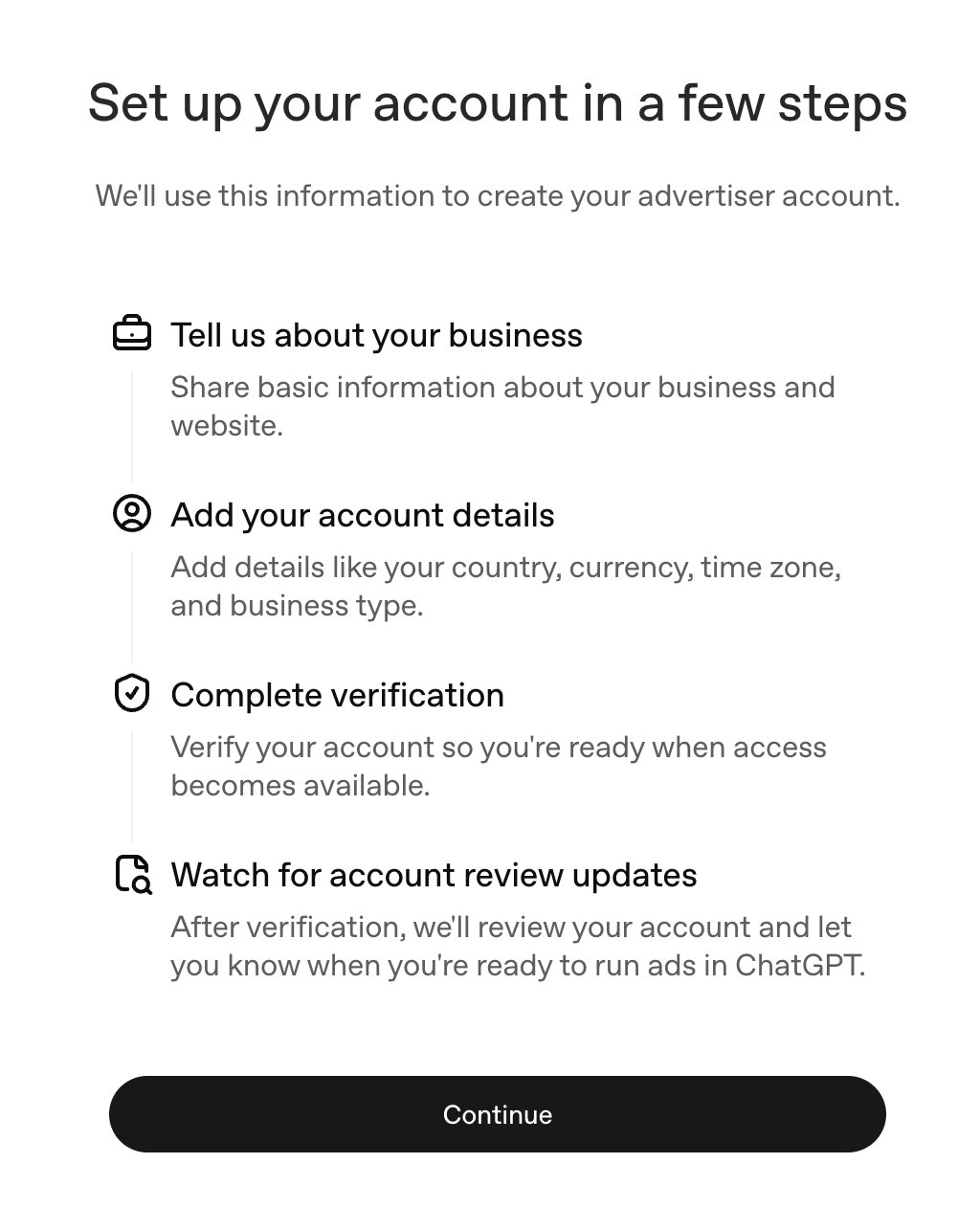
You will enter business details (business name, website, logo, industry) and account details (country, currency, time zone). Then verification runs through Persona, where you answer additional questions confirming your business and that your products are eligible under OpenAI's ads policies.
Country, billing currency, and time zone cannot be changed after the account is created. Not by you, not by support. If you set the time zone to UTC because it felt neutral, every report you ever pull will be offset from your Shopify data, and you will be doing mental arithmetic forever. Set it to IST. Set currency to INR. Set country to India. Check twice.
If you run multiple brands: each advertiser needs its own account, and each new account needs a different email address to create it. After creation you can invite the same person across accounts and switch between them.
Billing has two parts. A billing profile (business name, invoice delivery email, billing address including state and postal code) and a payment method (credit card details).
Campaigns will not deliver until both are done. Build the campaign first if you like, but nothing serves until billing clears.
Three options, and the choice determines both pricing and how delivery optimizes.
| Objective | You pay per | Optimizes for | Use when |
|---|---|---|---|
| CPM | 1,000 impressions | Broad reach at scale | You want visibility and are measuring lift, not clicks |
| CPC | Valid click | Clicks from likely engagers | You want traffic and are testing the channel |
| oCPC | Valid click | Clicks likely to convert | You have conversion tracking live and enough volume |
You cannot edit a campaign into a different objective. If you picked wrong, you build a new campaign.
My read for a D2C brand testing this cold: start on CPC. You do not have enough conversion data flowing into OpenAI yet for oCPC to optimize against anything useful, and CPM is a bad way to learn a channel you do not understand. Get to oCPC once your pixel has been firing for a few weeks.
OpenAI recommends a starting max CPC bid of $3 to $5 USD, which lands roughly in the ₹260 to ₹440 range depending on the rate. That is a global recommendation, not an India-calibrated one, and Indian CPCs on most channels run well below global averages. I would start lower and watch the bid-strength indicator that Ads Manager surfaces, which tells you whether your bid is competitive or is going to throttle delivery.
You choose campaign-total or daily. India's minimum daily budget is ₹725.
Daily budget is a delivery target, not a hard cap. Spend can run above or below on any given day. The guardrails are that daily spend will not exceed twice your daily budget, and spend over a seven-day period will not exceed seven times it. So a ₹725 daily budget can spend ₹1,450 on a Tuesday and even out across the week.
If you are working out what to actually allocate here against your existing Meta and Google spend, our marketing budget planner models the reallocation, and the honest answer for most brands is that this comes out of a test budget, not out of a working channel.
This is where ChatGPT Ads stops resembling anything you have run before.
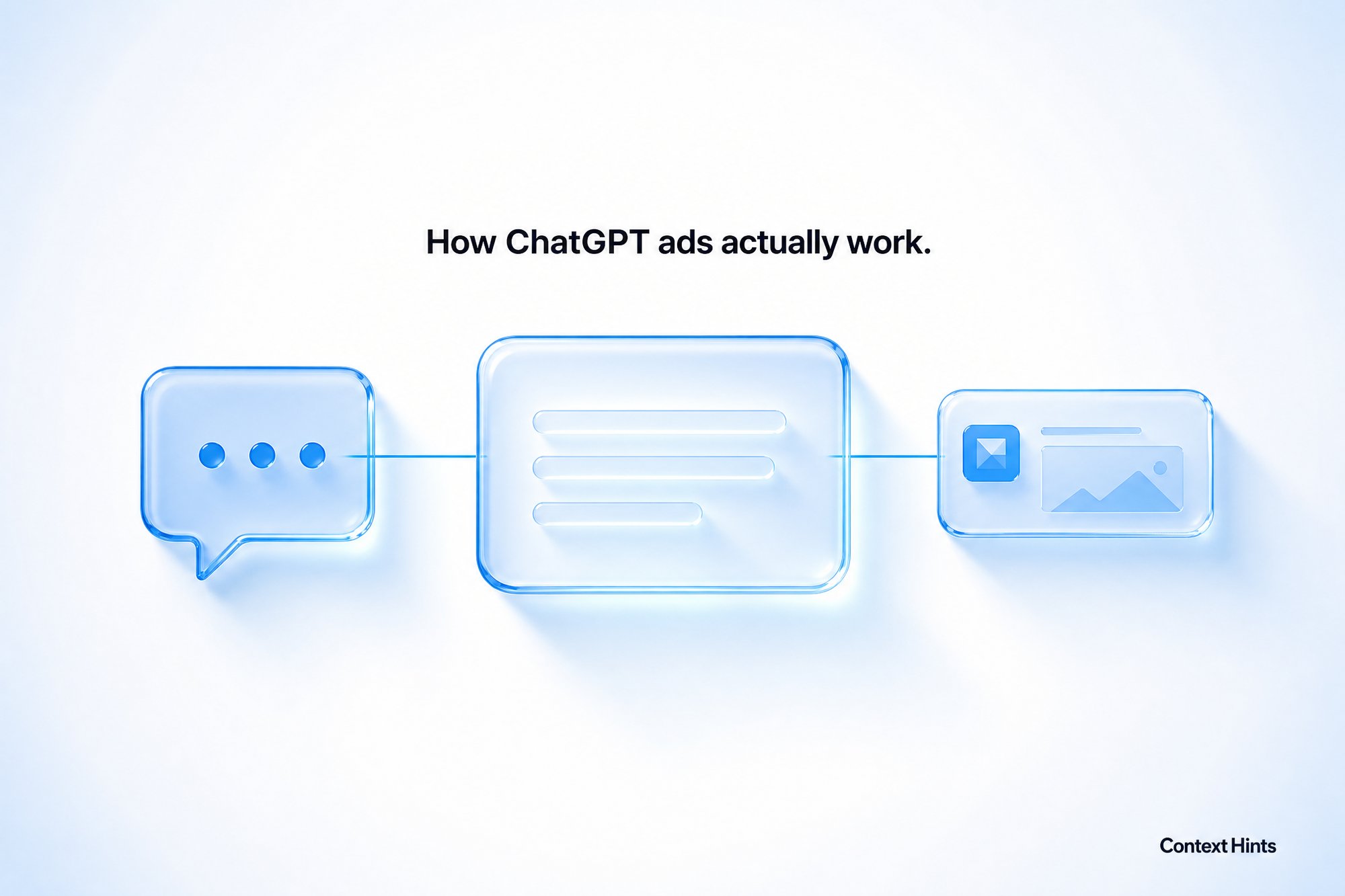
There are no keywords. At the ad group level you write context hints: plain-language descriptions of the conversations, needs, and situations where your product is relevant. The system reads those alongside your ad title, copy, and landing page, and matches against live conversation context.
OpenAI's own example is the clearest way to understand the gap. Instead of "running shoes," write "cushioned everyday running shoes for beginners training for their first 5K."
Look at what the second version carries that the first does not. Product attribute (cushioned). Usage frequency (everyday). Experience level (beginners). Specific goal (first 5K). A keyword list cannot express any of that. A sentence can.
What makes a context hint work:
What kills it:
Two things to be clear about, because people are already getting this wrong. Context hints are not exact-match controls. Someone does not have to use your words for your ad to show. And they do not guarantee delivery in any particular conversation. They are guidance to a matching system, not a targeting rule you enforce.
The practical implication: one ad group per genuine customer situation. If two hints would need different ad copy or different landing pages, they belong in different ad groups. This is a structure problem more than a copywriting problem, and it is the single biggest determinant of whether your account performs.
Each ad shows below a ChatGPT response and includes your advertiser name, favicon, title, copy, landing page, and image.
The specs are tight:
| Element | Recommended | Maximum |
|---|---|---|
| Ad title | 16 to 24 characters | 50 characters |
| Ad copy | 32 to 48 characters | 100 characters |
| Image | Square, PNG or JPG | 1200 x 1200 px |
Read those recommended ranges again. Sixteen to twenty-four characters for a title is roughly three words. Thirty-two to forty-eight for copy is one short sentence. This is not a format where you explain anything. It is a format where you name the thing and get out.
Two technical requirements that quietly break campaigns: your landing page URL must be reachable and not blocked by OpenAI's crawlers (check your robots.txt before launch, not after), and your image URL must be publicly accessible and link directly to the file.
Run multiple ads per ad group to test messaging. The creative variables here are different from Meta, where you are testing hooks and thumb-stop. Here you are testing which three words earn a click from someone mid-conversation.
If you are a D2C brand with more than a handful of SKUs, this is probably where you should start rather than with manual ads. OpenAI states that ads created from product feeds have been among the strongest-performing ads on the platform to date.
Setup runs through Tools, then Feeds, then Create Feed. You import products three ways:
Use hosted URL or SFTP, not manual CSV. Items expire after two weeks, so a one-off upload will quietly rot and your campaign will shrink without an obvious error.
Once the feed processes (a few minutes to a few hours depending on size), you create a campaign, select Product feed as the campaign type, then build an ad group where you pick the feed and apply product filters. Ads Manager shows you a product count so you can confirm how many SKUs pass your filters before you launch. If the built-in filters are too crude for how you want to segment, you can write custom values into the ads_metadata field in your feed (things like bidding_tier or product_line) and filter on those.
One reporting gotcha: the Products tab only shows products that have already delivered. An empty Products tab on a campaign that has not started yet does not mean your feed failed. Use the product count during ad group setup to verify, not the Products tab.
Feed quality is doing a lot of work here, which is the same lesson showing up in AI-driven product discovery generally. Accurate titles, real availability, correct pricing. The system is reading your structured data, not your brand story.
Skip this and you will have no idea whether the channel works. Conversion measurement runs on two mechanisms, and you should use both:
The OpenAI Pixel is a browser script. Its important job is capturing oppref, the OpenAI click reference appended to your landing page URL (format: yoursite.com?oppref=gAAAAAb123). The pixel stores that in a first-party cookie so later conversion events can be tied back to the click.
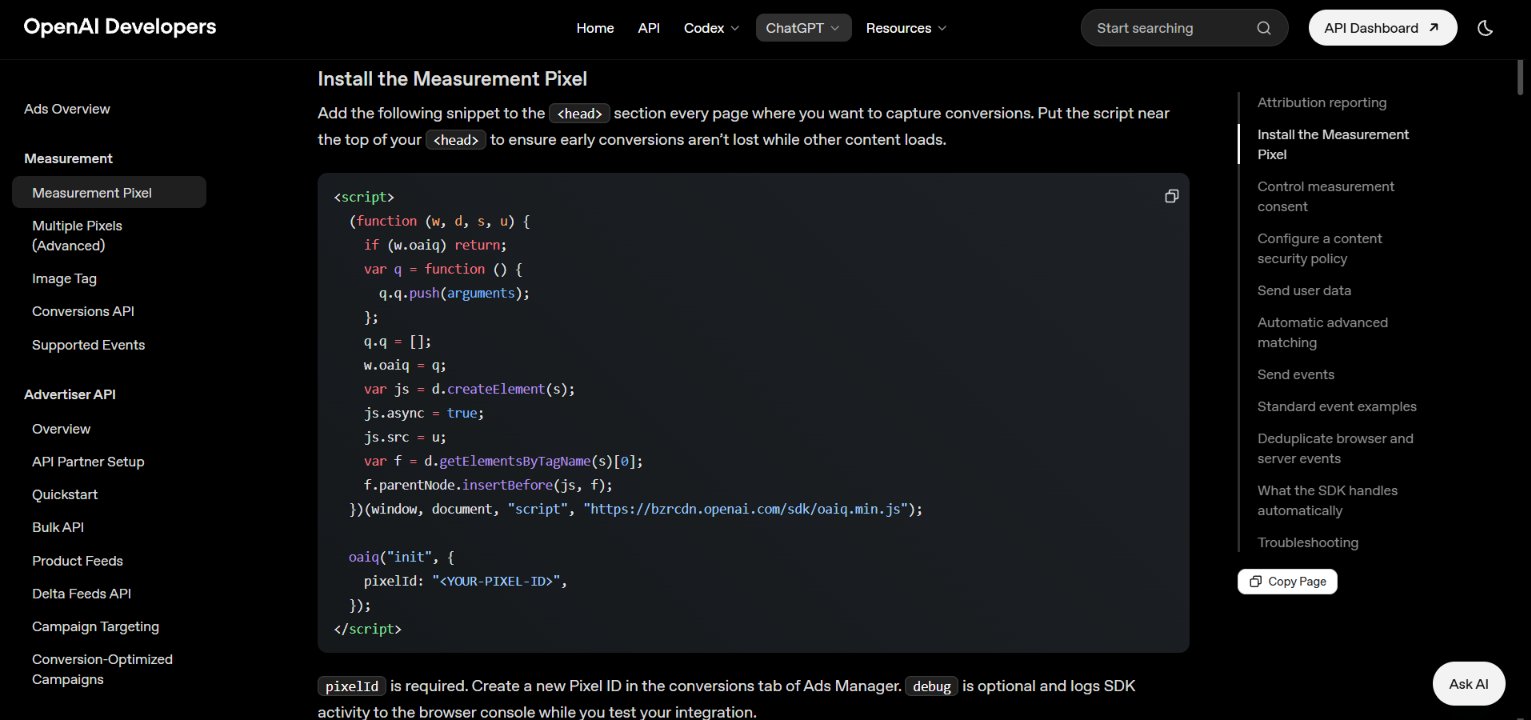
The Conversions API sends events server-to-server, which survives ad blockers and browser storage restrictions. Where you have oppref available, include it in your CAPI calls.
Run both together and pass the same event ID for the same conversion so OpenAI can deduplicate. This is the identical pattern to Meta's CAPI setup, so if your dev team has done that, this is familiar work.
Automatic advanced matching runs by default. The pixel detects supported customer information from forms on your site, normalizes and hashes it with SHA-256 in the browser, and includes it with conversion events. Raw customer data does not go to OpenAI. You do not need to configure anything for this.
The thing that will actually break your attribution: oppref has to survive your redirects. If you run a link shortener, a redirect through a tracking domain, or a landing page that bounces to another URL, and the parameter gets dropped, your conversions become unattributable. Test this on day one by clicking your own ad and checking whether the parameter is still on the URL when you land on the checkout page.
Also add UTM parameters to your landing page URLs on top of all this. Static tracking parameters persist on ad clicks, and you will want ChatGPT traffic identifiable inside GA4 and your own reporting independent of what Ads Manager tells you.
Available reporting metrics: impressions, clicks, spend, CTR, average CPC, average CPM, and conversions.
Here is where I think most Indian D2C brands are going to get this wrong, and it has nothing to do with setup.
Three facts, stacked:
One. There is a delay of up to seven hours between ad delivery and results showing in Ads Manager. If you have Meta brain, where you refresh at hour two and make a call, you will be making decisions against incomplete data every single time.
Two. OpenAI's reported conversion totals may include modeled conversions, and OpenAI explicitly notes their numbers will differ from your analytics provider and other ad platforms because of different attribution methods, attribution window, time zone boundaries, and deduplication behavior. A difference is not an error. You are now reconciling a third platform's version of truth against Shopify, and everything I have written about why platform-reported ROAS should not govern budget decisions applies here with extra force, because this platform is four months old.
Three, and this is the one that matters. That 80% new-customer figure. If most of the traffic this channel drives is genuinely new customers, then judging it on last-click ROAS in the first fortnight is close to guaranteed to kill it. New-customer acquisition looks worse on immediate ROAS than retargeting does, always, on every channel. That is not a ChatGPT Ads problem. That is what prospecting looks like.
So measure it as prospecting. Track new-customer CAC separately from blended CAC. Look at first-order contribution margin rather than platform-reported return. Give it enough time that cohort behaviour is visible. If you are going to make a real call on whether this channel is incremental, you eventually want an incrementality test, not a dashboard comparison.
The brands that will get value from ChatGPT Ads in India are the ones who treat month one as a data-collection exercise and set their success criteria before they launch, not the ones who check ROAS on day three.
Before you turn anything on:
oppref tested end to end through your redirectsAfter launch, expect impressions and clicks within 24 hours. If nothing is delivering, work through account verification status, billing completeness, campaign dates, active status, and ad review before assuming the channel is broken.
oppref click parameter through any redirects, and add UTM parameters to landing page URLs for independent tracking.
Join hundreds of D2C brands using Clevrr AI to automate their growth and efficiency.
Join 500+ D2C founders using Clevrr AI to automate their operations and scale faster.
Get Started Free
